External GPS
Connect a Bluetooth GPS receiver for higher accuracy than the built-in device GPS. Essential for WiFi-only iPads and useful on any device when sub-meter precision matters.
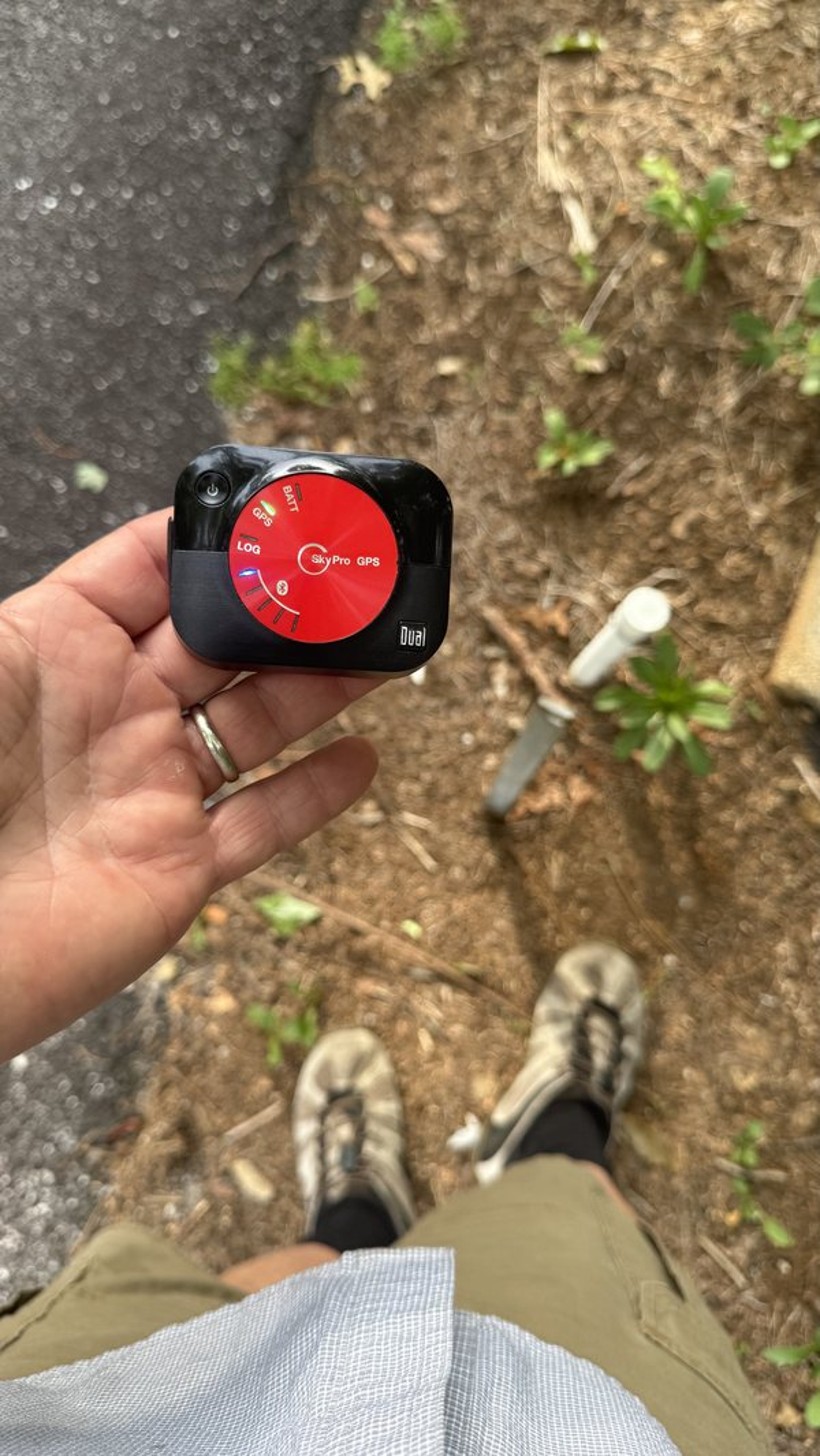
Power on your GPS receiver
Turn on your Bluetooth GPS receiver and allow it to acquire a satellite fix before connecting. Most receivers have an indicator light that shows when they have a lock.
Connect it to the app
An XGPS160 / SkyPro is an Apple MFi accessory: pair it once in iOS Settings → Bluetooth, and GPS Stakeout detects it and switches to it automatically — there's nothing to turn on inside the app.
For a Bluetooth-LE NMEA receiver, open any plat and tap the GPS source pill at the top of the screen (it reads iPhone GPS ▴) to open the receiver picker.
Pick your receiver (BLE only)
In the picker, nearby Bluetooth-LE receivers appear in a list — tap yours to connect and the app switches to it. MFi units like the XGPS160 connect automatically and don't appear in this list.
It switches automatically
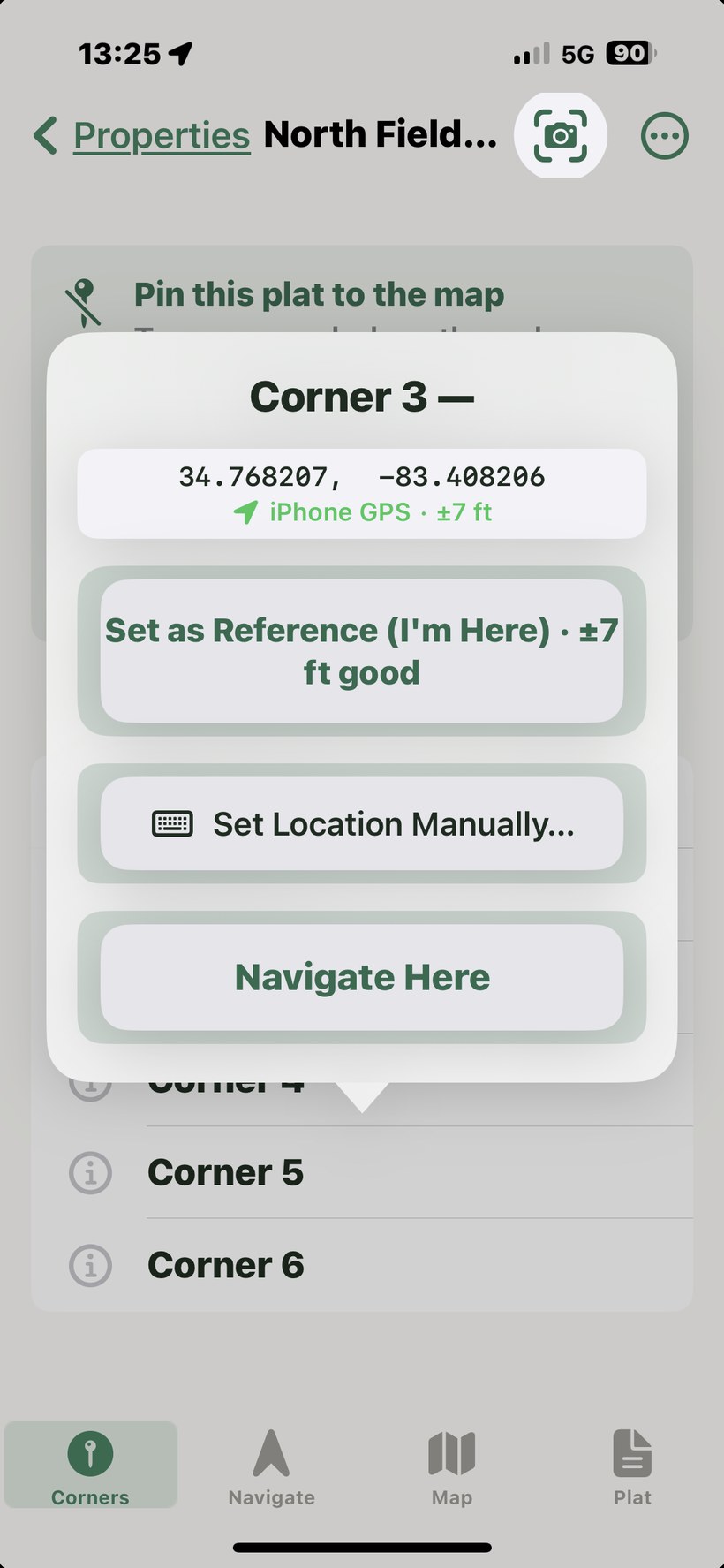
You don't choose the source by hand. GPS Stakeout automatically uses the most accurate live fix — it prefers your external receiver and falls back to the iPhone's GPS if the receiver's signal drops, then switches back when it recovers. The GPS source pill at the top of the plat screen shows which source is active right now, the live accuracy (± feet), and — for the XGPS160 — its battery. Tapping the pill opens the receiver picker, which is only used to select a Bluetooth-LE receiver; an MFi XGPS is picked up automatically and isn't listed there.
How the app chooses its GPS source
When an external receiver is connected, the app continuously compares it against the built-in device GPS and uses whichever is delivering the freshest, most accurate fix — re-evaluating on every update. The external receiver is preferred whenever its accuracy is comparable to or better than the device GPS. If the external fix momentarily degrades (for example under heavy tree canopy or in a deep valley), the app falls back to the live device GPS instead of holding a stale position, then returns to the external unit as soon as its signal recovers. Your position keeps updating in real time throughout, so the distance-to-corner readout stays live as you walk onto a pin.
Your position on the map
On the Map tab your position is drawn from the active source — when an external receiver is connected, the dot follows the receiver, not the phone's built-in GPS, so it lines up with the distance-to-corner readout. A faint accuracy ring is drawn around the dot at the current horizontal accuracy: a tight ring (a few feet with an XGPS160) means a confident fix, while a wider ring signals a weaker one. If the dot sits a little off a corner, the ring tells you at a glance whether that gap is real or just GPS uncertainty.
Signal smoothing & accuracy
The app applies smoothing only when it helps. A high-quality fix — WAAS/DGPS or a dual-band receiver like the XGPS160, roughly 3 meters or better — is already sub-meter-class and is used exactly as reported, with no averaging that could blur its precision. Only noisier single-band or device-GPS fixes are passed through a short rolling average to tame jitter. In practice this means a good receiver gives you its full accuracy, while a weaker signal is steadied rather than jumpy.
Verifying position in the field
Turn on Debug Mode in Settings to reveal a live GPS telemetry panel on the Navigate screen. It shows the active source, the raw horizontal accuracy of both the external and device GPS, and a fix-age counter that flags a stale reading. If the fix age climbs and shows a stale warning while you are standing still, the receiver has lost a clean view of the sky — reposition for a clearer horizon or wait for the fix to recover.
WiFi-only iPad note
WiFi-only iPads have no built-in GPS chip and rely on WiFi positioning, which is accurate to roughly 15–30 meters — not usable for corner navigation. An external Bluetooth receiver is required for any meaningful accuracy on WiFi-only models. A warning banner appears in the app when GPS accuracy is insufficient.