Camera / OCR Scan
Scan a printed deed and the app reads the legal description using on-device text recognition — no internet connection or API key required. The scanner captures one page or many in a single session, auto-crops and straightens each page, and stitches a multi-page deed into one description. All processing happens locally on your device.
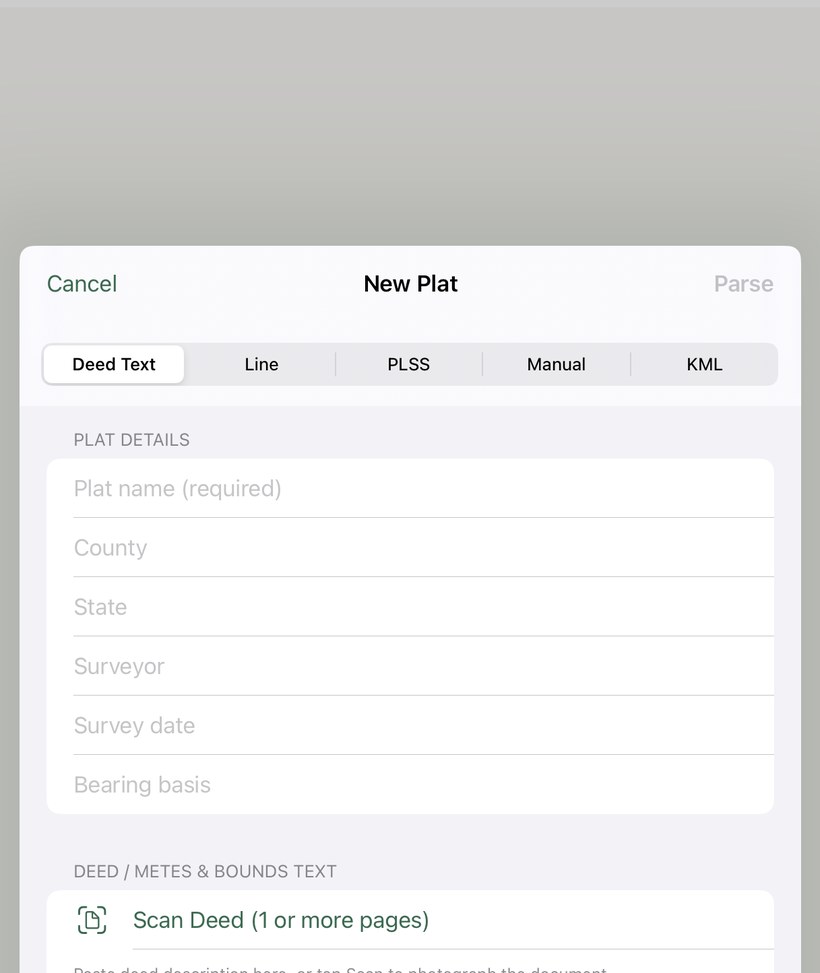
Open the Deed Text tab and tap Scan
Tap +, select the Deed Text tab, then tap Scan Deed (1 or more pages). The document scanner opens.
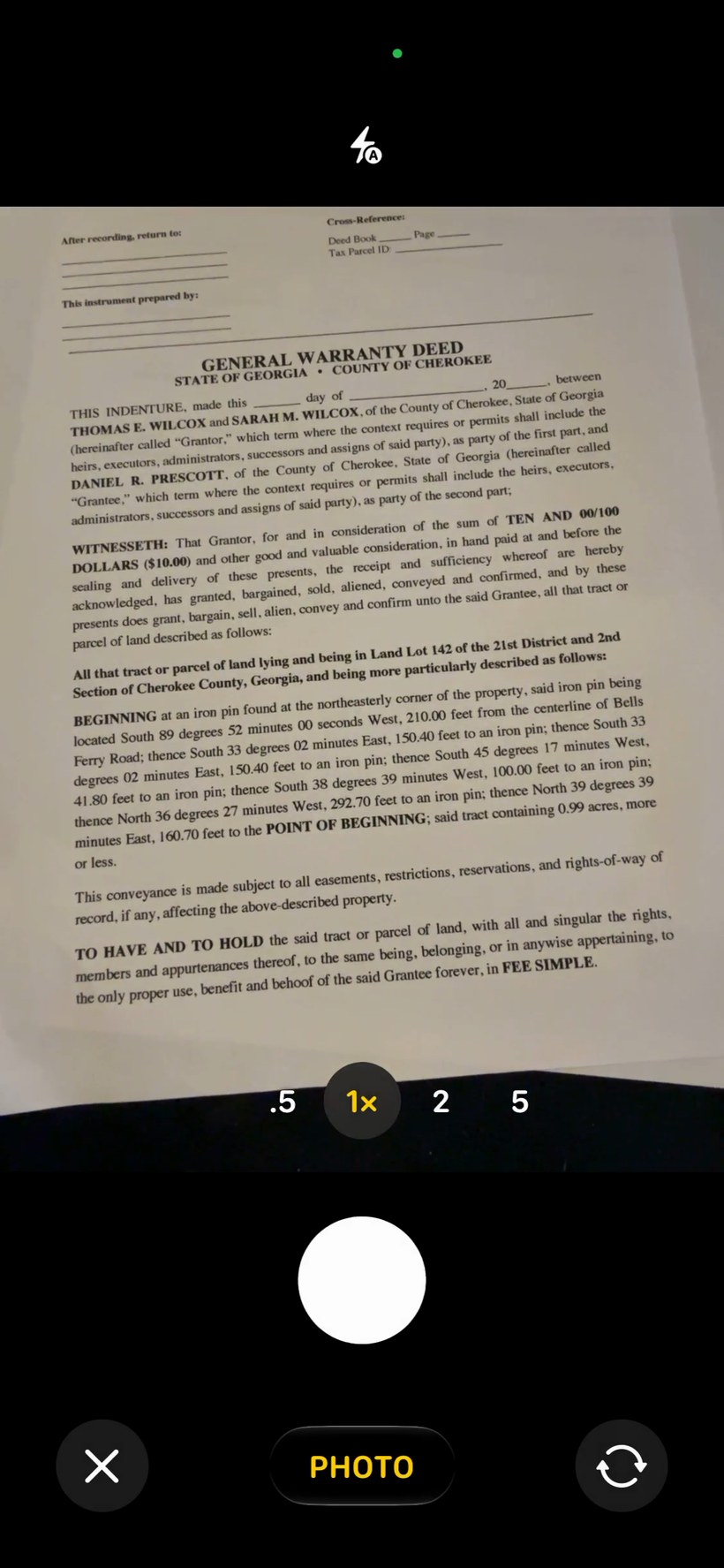
Scan the page(s) — hold the phone in portrait
Hold your phone upright (portrait) over the deed page, with the text reading normally. The scanner detects the document edges, straightens the page, and enhances the text automatically — then captures. If the metes-and-bounds description runs across more than one page, scan the next page too; repeat for each page, then tap Save.
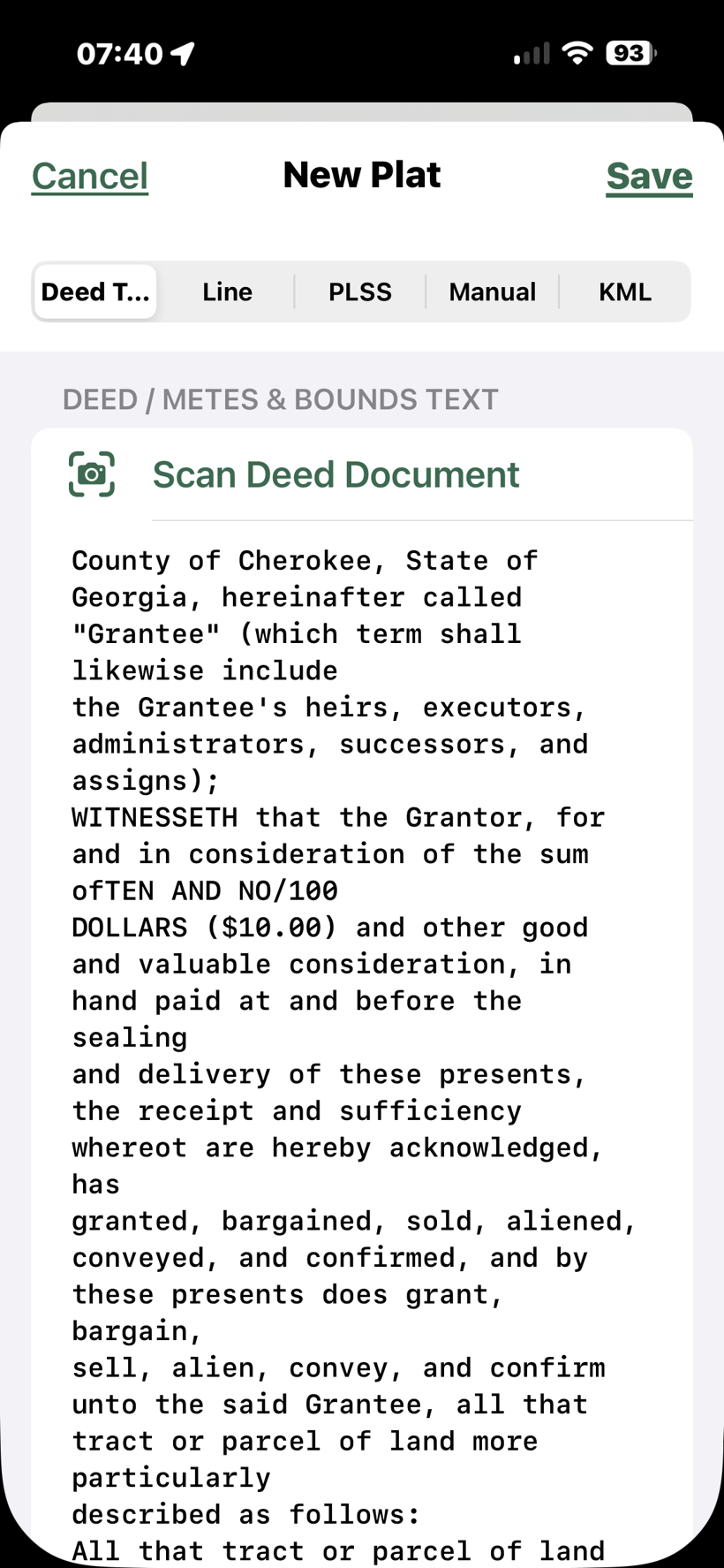
Review the recognized text
The app runs on-device OCR on each page in order, stitches them into one description, and populates the deed text field automatically. Review the extracted text and correct any recognition errors before parsing.
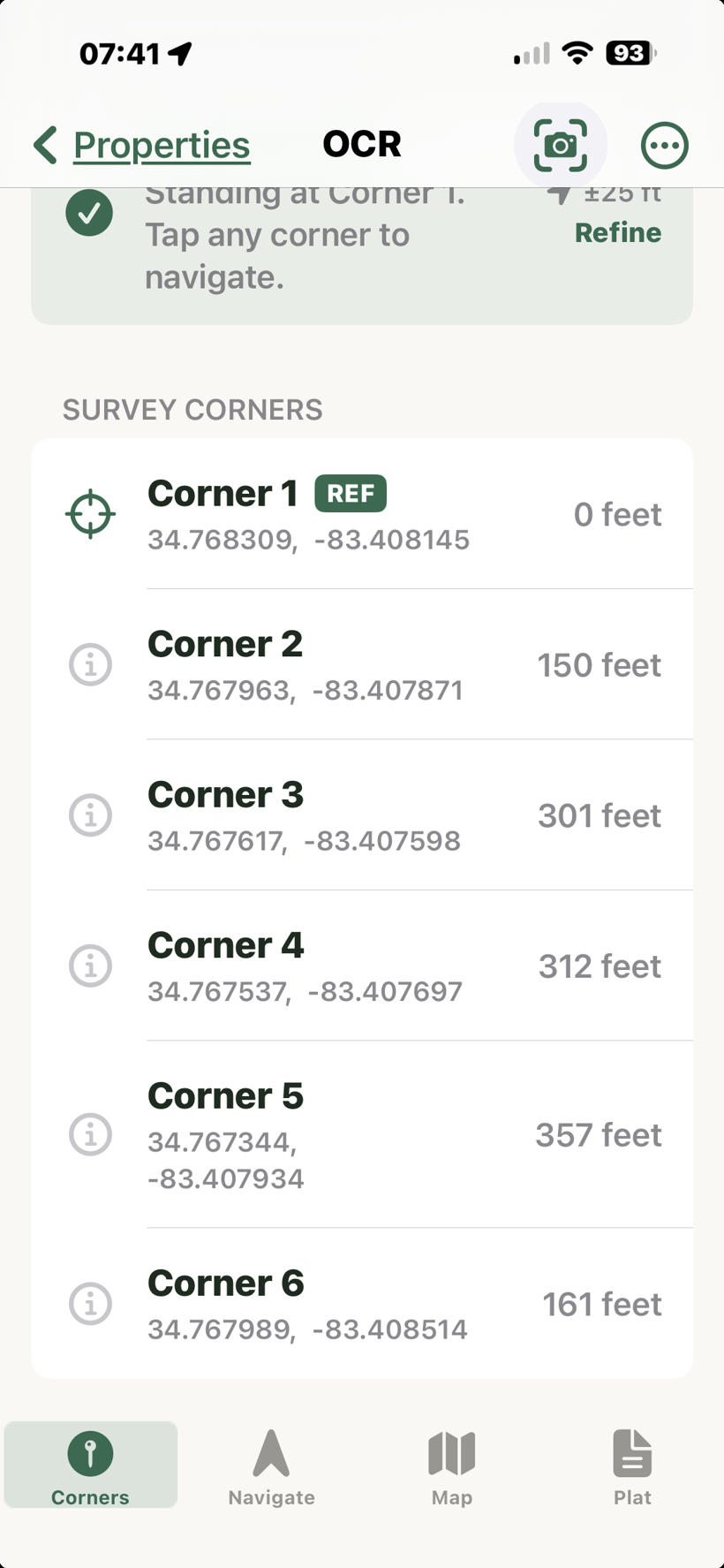
Parse and save
The app automatically triggers parsing after the scan completes. Review the leg list, then name and save your plat as you would with manually entered deed text.
Privacy
All image processing uses Apple's Vision framework and runs entirely on your device. No photos or text are transmitted to any server.